This is an old revision of the document!
Table of Contents
Web Order Despatch
Introduction
Web order despatch automatically finds stock for website orders, when multiple locations are involved. Removing the need to carry out this process manually.
Finding Stock
For each website ordered, web despatch search's to see if one branch location can fulfil the full order. If one branch can fulfil the full order it will pick the stock from that location.
If the stock is split across multiple branches it will then use the settings that are chosen by the customer on how they want web orders to be fulfilled.
- By Stock Level
- Rank Order.
By Stock Level
Stock will be taken based on the stock level in each branch.
Multiple quantities will be taken from each branch in turn.
By Branch Rank
Stock will be taken based on the branch order set in Fashione.
Multiple quantities will be taken from each branch in turn.
Unallocated Stock
When there is not enough stock for an item, it will need to dealt with manually.
- Either the stock can be taken from another branch, by creating a transfer to the website branch.
- Or a refund can be created against the website branch, either manually or on your website platform.
Journal
A web allocation report can be printed from the back office journal.
For each order, the report will show which branches the items where allocated from and any that are not allocated.
POS Messages
Optional messages can be sent to each branch, informing the staff which items need to be picked.
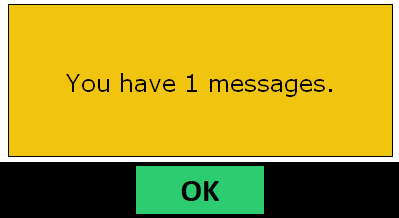
The above prompt will appear on the POS and the messages can be printed from the manager screen.
 Except where otherwise noted, content on this wiki is licensed under the following license: CC Attribution-Noncommercial-Share Alike 4.0 International